

Magnetic vs Clamp Car Phone Mounts: What to Check Before Buying
A magnetic mount and a clamp mount solve the same problem in opposite ways. A magnet holds your phone by attraction: the phone snaps on with one hand and lifts off the same way, but only if the phone side carries a magnet, a magnetic case, or a ring. A clamp holds your phone by force: spring-loaded arms grip the sides and a foot carries the weight, so it fits any phone that opens wide enough — at the cost of two hands and a slower dock. Neither is better in general. The right one depends on your phone, your case, whether you charge in the car, and how rough your roads are. This guide compares the two mechanisms, then walks through the two checks that decide whether a mount fits: the mount to your car, and the mount to your phone.
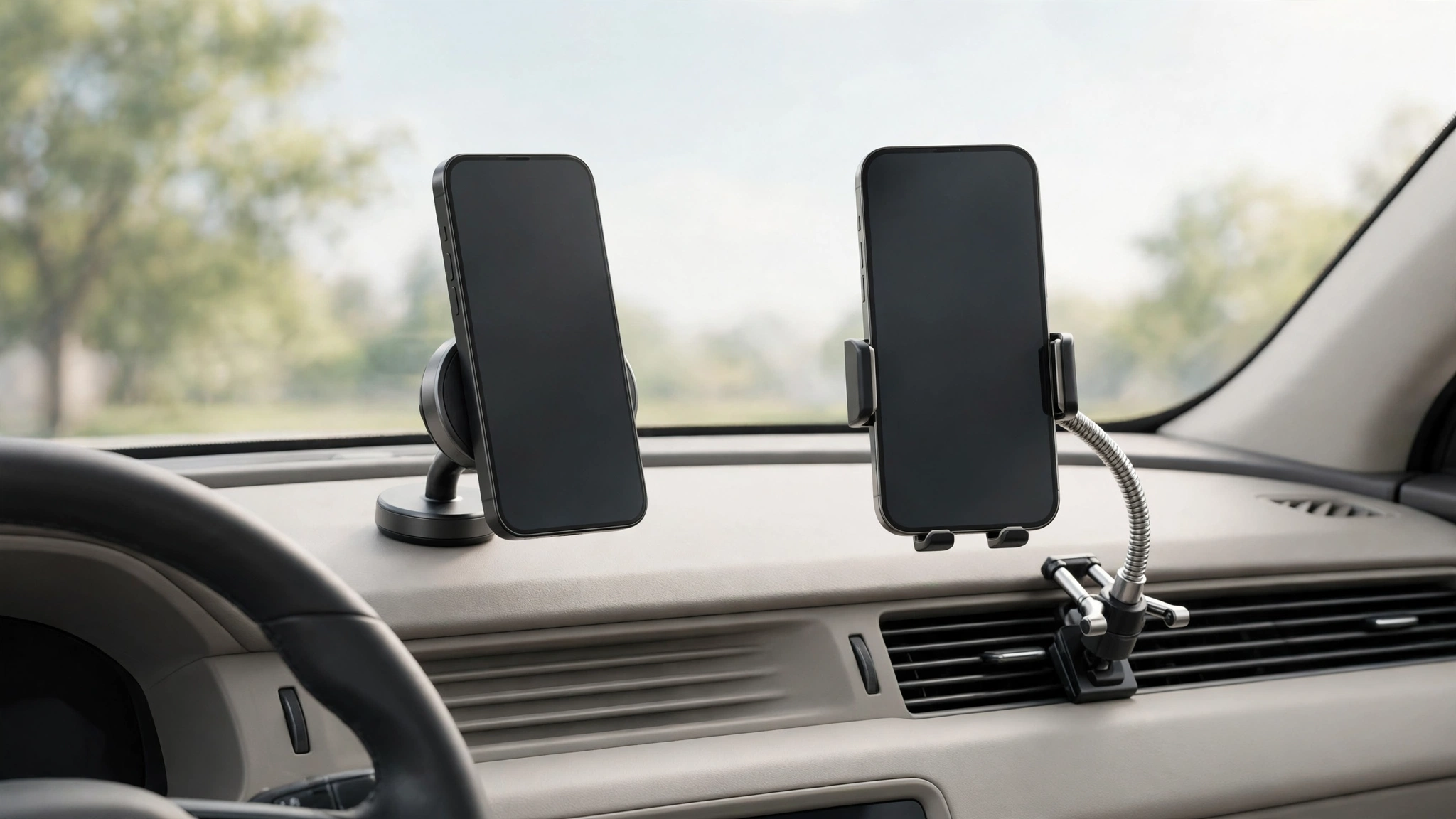
Quick Decision
Choose magnetic if you dock and undock constantly, your phone has MagSafe built in (iPhone 12 and later, except the iPhone 16e) or a magnetic case, and you drive mostly on smooth roads. Choose a clamp if you share the car between different phones, use a thick or rugged case, carry a heavy phone, or drive rough roads where a mechanical grip is worth the extra seconds. Check charging separately from holding: a magnetic-only mount charges nothing, and a metal plate over the charging coil blocks wireless charging. Measure before you buy: the phone’s width with its case on must fit the clamp’s stated range, and a magnetic ring must sit centred on the back — a ring placed low lets the top of the phone lever away on bumps.
How this guide was put together. LanPicks does not test car mounts hands-on. The comparison comes from published mount guides checked on 13 November 2026, and the installation details from the makers’ own instructions — iOttie’s iTap 3 magnetic mount manual and the clamp-width figures for iOttie’s Easy One Touch 5. Holding-force numbers in listings (gram-force, “lbs”, magnet grades such as N52) are each maker’s or seller’s claim, not a standard test, so this guide does not rank mounts by those numbers. The hero image is an AI-generated editorial illustration; the compatibility diagram is an original conceptual drawing, not a measurement. See our Editorial Policy.
On this page
Holding vs Charging Functions
The difference starts with how each mount holds the phone. A magnetic mount has a magnet array in its head and needs something magnetic on the phone side: the magnets built into a MagSafe iPhone, a magnetic case, or a ring or plate stuck to the phone or case. The phone snaps on the moment it comes close and lifts off with one hand. A clamp mount has spring-loaded arms and a bottom foot: you press the phone in — or press a button — the arms close on the sides, and the foot carries the weight, so the arms only resist sideways movement. That three-point grip is why a clamp holds a heavy phone on a rough road: the hold does not depend on a magnet rating or on plate placement.
The two holds also fail differently. A magnet resists a straight pull better than a sideways slide, so a pothole jolt or sustained vibration can shift a phone down the magnetic face, especially if the ring is off-centre or a thick case sits between the magnets. A clamp fails at its mechanism instead: springs weaken over time, and worn arms close less firmly — one guide names spring fatigue as the main failure mode over a two- to three-year life. A magnetic mount has no moving parts, so it has no equivalent wear mechanism.
Swipe to compare all columns →
| Magnetic mount | Clamp mount | |
|---|---|---|
| How it holds | Magnet array on the mount attracts a magnet, case, or ring on the phone | Spring-loaded arms grip the sides; a bottom foot carries the weight |
| What the phone needs | MagSafe built in, a magnetic case, or an adapter ring or plate | Nothing — any phone that fits between the arms |
| Docking | One hand, snap on and lift off | Usually two hands; about five seconds to seat it |
| Portrait to landscape | Rotate the phone on the mount | Often means re-clamping; gravity clamps are portrait-only |
| Charging | Holds only, unless a charging mount with a stated output | Holds only, unless a charging mount with a coil in the back |
| What makes it slip | Thick non-magnetic case, misplaced ring, weak magnets, loose base | Worn springs, a phone wider than the arm range, a loose base |
Charging is a separate function from holding, and confusing the two is the most common buying mistake. A magnetic-only mount holds the phone and charges nothing; a wireless-charging mount adds a coil to the magnetic holder, and a wireless-charging clamp puts the coil in the back plate while the arms hold the phone in alignment. If a listing only says “magnetic mount,” do not assume it includes wireless charging — look for a stated wireless output and a power input. 15W is the output most Qi2 car mounts advertise, but a mount that runs hot, sits in direct sun, or sits over a thick case can charge far more slowly than its specification suggests. A metal plate over the charging coil blocks wireless charging outright. If you charge with a cable instead, the mount must leave the charging port accessible, and the cable must not dangle across the gear shift.
Phone and Case Requirements
Magnetic mounts start with the phone side. Apple’s MagSafe system — a ring of magnets built into the back of the phone — is present on iPhone 12 and later models, except the iPhone 16e, which does not have MagSafe. Those phones snap straight onto a MagSafe-compatible mount, bare or in a MagSafe case with its own magnets. Older iPhones and most Android phones need a magnetic case or an adapter ring. Qi2, the open wireless-charging standard, uses the same magnetic-alignment idea.
For a ring or plate, placement is the whole job. iOttie’s manual for the iTap 3 magnetic mount spells it out: clean the back of the phone or case, centre the alignment guide, press the ring firmly inside it, and wait at least one hour before using it. Once attached, the ring can be removed but not repositioned, so a crooked first try is a wasted ring. The manual also limits the cases the ring suits: not metal, glass, or textured cases, and not phones with built-in wallets or grips. Centre the ring — a ring placed low lets the top of the phone lever away on bumps.
What sits between the magnet and the phone decides how well it holds. A regular case adds distance between the mount and the phone’s magnets, and a thick non-magnetic case weakens the hold noticeably — the fix is a MagSafe case with its own magnets, or a ring stuck on the outside of the case. A wallet, grip, or power bank stacked on the back moves the phone further from the mount and adds weight at the same time. A metal plate has a second cost: it blocks wireless charging and can interfere with contactless payment and transit cards.
Magnets themselves are safe for the phone: they do not harm modern phone storage or displays, but they can interfere with the compass in some positions. Apple warns not to place credit cards, security badges, passports, or key fobs between an iPhone and a MagSafe charger, because this may damage magnetic strips or RFID chips — so do not keep cards in a case pocket that sits against the mount. Apple also warns that high-amplitude vibration, such as from high-power motorcycle engines, can affect the iPhone camera’s stabilisation and autofocus; a car mount is not that case, but a mount that shakes is a problem for the phone as well as for the grip.
Clamp Dimensions and Buttons
Measure the phone with its case on, and compare that width with the mount’s stated clamp range — screen size does not decide the fit, width does. iOttie’s Easy One Touch 5, for example, is listed for phones and cases 2.3 to 3.5 inches wide (5.9 to 8.8 cm); a phone wider than the cradle’s stated range will not sit securely, whatever its screen diagonal is. That range belongs to that model, so check the listing for the exact mount and measure your own phone before ordering. Arm travel width is the figure to look for: wider arms handle today’s large phones, while narrow arms made for older phones can struggle to open wide enough.
Then check where the arms land. Clamp arms can press side buttons on some phones, so look at where your power and volume buttons sit relative to the arms when the phone is seated — a mount whose arms sit low, near the bottom foot, usually clears them, while arms that close at mid-height may not. Test this with the phone in the mount before you drive: a volume button held down by an arm is a fault you only notice when the phone starts misbehaving on the road.
Padding decides whether the grip marks the phone. Quality clamp mounts line the arms with silicone or foam padding, soft enough to avoid marking most cases; a bare glass-back phone is at slightly higher risk if the padding is thin or worn, so check the pads when the mount arrives. And remember that the foot does the heavy work: on a well-designed clamp the phone’s weight rests on the bottom ledge and the arms only resist sideways movement. If the foot is missing or too short, the arms carry the full weight and the phone is more likely to creep down over bumps.
Clamps also wear out: weakened spring tension reduces clamping force, and one guide names spring fatigue as the main failure mode over a two- to three-year life. If the arms stop closing firmly, replace the mount rather than forcing the arms tighter or wedging the phone in. A magnetic mount has no moving parts, so it does not wear this way; its equivalent failure is a ring that has come unstuck.
Installation Dependencies
The mechanism is only half the mount. The base — vent clip, suction cup, or adhesive pad — is the other half, and a loose base moves even when the magnet or the clamp holds perfectly. Check the base first, then the mechanism.
For a vent mount, the blades decide. iOttie’s iTap 3 manual states the limit plainly: the mount “is designed to be used only with FLAT air vent blades.” Round, turbine-style vents have no flat blade for a hook to close behind, and several vent-mount listings exclude them outright. Blade strength matters as much as shape: a heavy phone in a thick case hangs its full weight from one thin slat, and flimsy or older blades bend, rattle, or let the phone droop. A support foot against the dash below the vent takes some of that load, but no brace fixes a vent that already wobbles — if your blades feel brittle, choose a different location.
For a dashboard or windshield mount, the surface decides. Suction needs a flat, smooth, non-porous surface, and heat is its enemy: Quad Lock’s suction-mount manual states the mount “falls off in extreme temperatures,” and a cup that lets go while warm rarely grips as well again. Adhesive is steadier but it is a commitment — removing a dash base means heat, dental floss behind the base to slice the adhesive, and adhesive remover for what is left. Our guide to how vent, dashboard and windshield mounts compare covers the three locations in detail. Wherever the mount goes, put it at glance height, clear of your view and of any airbag cover — your car’s owner’s manual shows where the airbags deploy — and check your local rules before mounting anything on the windshield.
Daily Use Trade-offs
Docking speed is the magnetic mount’s clearest win. The phone snaps on with one hand and lifts off the same way, which matters if you dock and undock dozens of times a day — delivery drivers and rideshare drivers feel this most. A clamp takes longer: one guide times the sequence at roughly five seconds to seat the phone against the foot and let the arms close, and removal needs a button press to spread the arms. Gravity clamps close that gap — drop the phone in and its weight closes the arms — but they generally only work in portrait. Motorised clamps open and close automatically, at the cost of a motor, a sensor, and a power draw. Rotation follows the same split: a magnetic mount turns freely between portrait and landscape, while a clamp usually needs the ball joint loosened or the phone re-seated — check how your mount rotates before you buy, not after.
Sharing the car flips the advantage. A clamp needs nothing on the phone, so a different phone fits the moment it opens wide enough — useful for a family car or a car shared between drivers with very different phones. A magnetic mount needs each phone to carry its own magnet, case, or ring, so a second driver without one is stuck — and when you change phones, a clamp keeps working while a magnetic setup needs a new case or ring.
Rough roads and heavy phones favour the clamp. A magnetic hold depends on the magnet rating, the plate, and the placement, and sustained vibration can shift the phone sideways on the magnetic face; a clamp’s arms grip the phone directly, and a thick case’s air gap is irrelevant to clamping force. A light phone in a slim case suits a magnetic mount well; a heavy phone in a rugged case sits more securely in a clamp. On wear, the two age differently: a magnetic mount has no moving parts to tire, while a clamp’s springs are its wear item — check the arms every few months and replace the mount when they stop closing firmly. One safety note covers both: set the phone in its mount before you move — the fastest mount is the one you use while parked.
Compatibility Checklist
Do the checks in order: the car first, then the phone. If either stage fails, pick a different mount type — do not force the fit.
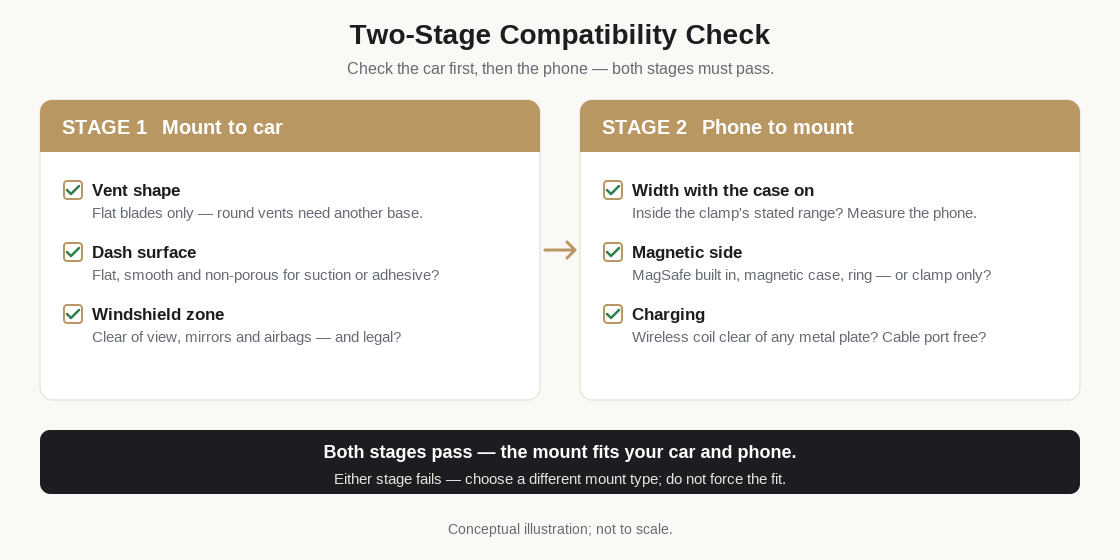
Diagram text equivalent. Stage 1 — car to mount: vent shape (flat blades for a vent clip?); dash surface (flat, smooth and non-porous for suction or adhesive?); windshield zone (clear of view, mirrors and airbags — and legal?). Stage 2 — phone to mount: width with the case on (inside the clamp’s stated range?); magnetic side (MagSafe, ring, or clamp only?); charging (wireless coil clear of any metal plate? cable port free?). If either stage fails, pick a different mount type; do not force a fit.
Swipe to compare all columns →
| Stage | Check | Pass looks like | If it fails |
|---|---|---|---|
| 1 — Mount to car | Vent shape | Flat blades for a vent clip | Round vents need a dash or windshield base instead |
| 1 — Mount to car | Dash surface | Flat, smooth, non-porous for suction or adhesive | Textured or soft-touch dash will not hold suction |
| 1 — Mount to car | Windshield zone | Clear of view, mirrors and airbags; legal where you drive | Move the mount or choose another location |
| 2 — Phone to mount | Width with case on | Inside the clamp’s stated range | A wider phone needs a wider clamp or a magnetic mount |
| 2 — Phone to mount | Magnetic side | MagSafe built in, magnetic case, or a centred ring | Use a clamp, or add a magnetic case or ring first |
| 2 — Phone to mount | Charging | Wireless coil clear of any metal plate; cable port free | Move the plate, or charge by cable with the port clear |
FAQ
Will a magnetic mount damage my phone?
No, not the phone itself. Magnets do not harm modern phone storage or displays, but they can interfere with the compass in some positions, and a metal plate stuck on the back blocks wireless charging and can interfere with contactless payment and transit cards. Apple also warns not to place credit cards, security badges, passports, or key fobs between an iPhone and a MagSafe charger, because this may damage magnetic strips or RFID chips.
Can I use a magnetic mount with a thick case?
Only if the case carries the magnets. A thick non-magnetic case weakens the hold, because it adds distance between the mount and the phone’s magnets. Use a MagSafe case with its own magnets, or stick a magnetic ring on the outside of the case — centred, pressed firmly, with at least an hour before you use it. If you charge wirelessly, remember that a metal plate over the charging coil blocks charging.
Do clamp mounts fit any phone?
Any phone within the mount’s stated width range, in any case. Measure the phone with its case on and compare it with the range in the listing — iOttie’s Easy One Touch 5, for example, is listed for phones and cases 2.3 to 3.5 inches wide (5.9 to 8.8 cm). Also check that the arms clear the side buttons and that the bottom foot carries the phone’s weight.
Can a magnetic mount charge my phone?
Only if it is a charging mount. A magnetic-only mount holds the phone and charges nothing. A charging mount states a wireless output — 15W is the output most Qi2 car mounts advertise — and needs a power input to match. A metal plate over the charging coil blocks wireless charging, so a plate setup and wireless charging do not mix.
Conclusion
Pick the mechanism by how you use the car, then run the two-stage check before you buy. Magnetic wins on speed and one-handed use, and it is the easy choice if your phone already has MagSafe or a magnetic case and your roads are smooth. A clamp wins on universality and rough-road grip, and it is the easy choice if you share the car, use a thick case, or carry a heavy phone. Either way, the mount has to fit the car first and the phone second — and if either stage fails, a different mount type is the fix, not a stronger magnet or a tighter arm. If you have not chosen a location yet, start with our guide to choosing a car phone mount, which compares vent, dashboard, and windshield mounts for your car.
Sources
- EveTech — Magnetic vs Clamp Phone Mounts: Best Car Mount Guide (auto-clamp mechanics; bottom foot and three-point contact; five-second placement; spring fatigue over two to three years; magnetic shear under vibration)
- Capes — Best Car Phone Holder in India: Magnetic vs Clamp (comparison table; ring placement; cards and vibration warnings from Apple; loose base)
- BestPhoneHolders — MagSafe vs. Metal Plates: Which Magnetic Mount is Actually Stronger? (alignment over magnet grade; N52/N55 as listing claims; plate interference with charging)
- iOttie — iTap 3 Magnetic Air Vent Mount user manual (via Manuals+) (MagSafe compatibility; ring install steps and one-hour wait; ring not repositionable; case exclusions; flat vent blades only)
- iOttie — Easy One Touch 5 Air Vent Mount product page (cradle range 2.3–3.5 in wide, 5.9–8.8 cm)
- cellphoneplans — Best Car Mounts & Fast Car Chargers (magnetic vs clamp summary; magnets and compass; plate blocks charging and interferes with cards; heat and suction)
- Relecy — Magnetic vs. Clamp Car Phone Holders: Which Design Offers Better Convenience? (gravity clamps portrait-only; motorised clamps with 15W Qi; thick cases and magnetic hold; vertical shear on potholes)
- Remobile — MagSafe Explained: What It Is, How It Works, and Which iPhones Are Compatible (MagSafe from iPhone 12, except iPhone 16e; Qi2 as the open standard)
- Zeera Wireless — Best iPhone Duo MagSafe Car Mount 2026: Charging & Cooling Guide (15W as the output most Qi2 car mounts advertise; magnetic-only vs charging mounts — via C1 record, verified 13/11)
Related Posts

This guide is about one specific listing: a 4K dash cam listed with parking monitoring, night vision, smart voice control and 24-hour automatic DVR, described as mini and easy to install. LanPicks has not tested this dash cam, and this guide reports no test results and no prices. What it does is separate what the […]

A dash cam records the road while you drive — and, with the right setup, while you are parked. The choice is not which model wins a roundup. It is which setup fits your car and your risk: front-only or front and rear, what resolution, and whether you need parking mode. This guide explains each […]
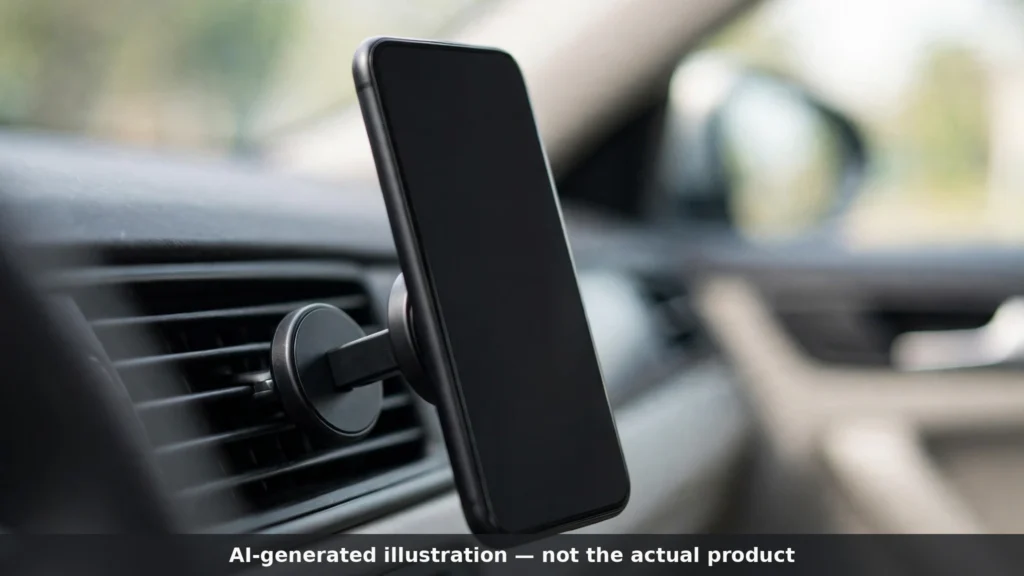
This guide looks at one AliExpress listing: “Magnetic Car Phone Holder Universal Air Vent Car Phone Mounts.” It is a magnetic holder that mounts on a car air vent, and the listing describes it as universal. This page explains what that wording does and does not promise, and the two checks that decide the fit. […]

Quick Decision If your car has sturdy, flat vent blades, start with a vent mount: it installs in seconds, moves between cars, and leaves nothing behind — but it blocks airflow and can sag under a heavy phone on weak blades. If your vents are round, recessed, or flimsy, a dashboard mount is the steadier […]
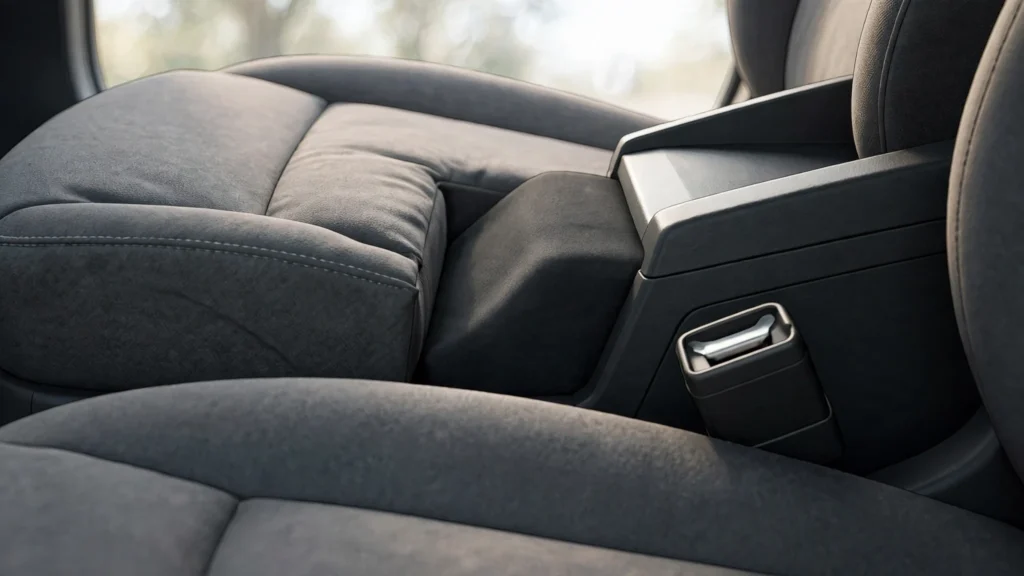
The gap between your seat and the center console swallows phones, cards, coins and crumbs — and the fix is cheap, but only if it fits. A filler that is too wide presses on the seat, one that is too narrow slides to the floor, and a rigid organizer in a gap that changes width […]