

How to Choose a Gaming Mouse for Your Hand Size and Grip
A gaming mouse that fits your hand disappears during play; one that does not keeps reminding you it is there. Fit comes down to two numbers — your hand length and width — and one habit — your grip. Measure both, compare them against the maker’s published dimensions, and use the starting ranges in this guide to build a shortlist. There is no official hand-size standard, and no chart can guarantee comfort, but a measured shortlist beats buying by popularity.
Quick Decision
Measure your hand length (wrist crease to middle fingertip) and width (across the knuckles, thumb out). Find your grip by how your hand rests on your current mouse — palm, claw or fingertip. Then use the starting ranges in Table 1: a fingertip grip starts at about 55–60% of your hand length, claw at about 60–65%, palm at about 65–70%. Compare those numbers against the maker’s length, width and height for the mice on your shortlist, and check the return policy before you buy — comfort needs your own hand, not a chart.
How this guide was put together. LanPicks does not test mice hands-on. The dimensions in this guide are the makers’ own published figures, checked on 12 November 2026. The size ranges come from published fitting guides, which disagree by a few points, so they are presented as starting ranges, not rules. The hero image is an AI-generated editorial illustration; the hand-measurement diagram is an original conceptual drawing, not a measurement. See our Editorial Policy.
On this page
Measure Your Hand
You need two numbers, and the measurement takes about a minute. Use a ruler or a tape measure, in millimetres or centimetres.
- Hand length. Lay your hand flat on a table, palm down, fingers together. Measure from the crease at the base of your wrist to the tip of your middle finger. This is the number that matters most — it decides the mouse length you start from.
- Hand width. Keep your hand flat, fingers together, thumb out to the side. Measure straight across your knuckles, at the widest part of your palm, without the thumb. Width decides how wide a shell you can hold without your fingers feeling cramped.
- Write both down. Measure the hand that holds the mouse. If you play left-handed, measure your left hand and check the shape first — not every mouse is symmetrical.

Most fitting guides sort hands into three reference points: under 17 cm (6.7 in) is small, 17 to 19 cm (6.7 to 7.5 in) is medium, and over 19 cm (7.5 in) is large. Treat these as reference points, not a rule. There is no official hand-size standard, and different guides draw the lines slightly differently — a hand at 19 cm sits on the edge of medium in one guide and the start of large in another. What matters is your own two numbers, used against the starting ranges in Table 1.
Identify Your Usual Grip
Your grip is how your hand rests on the mouse while you play. Most players use one grip without ever naming it. Put your hand on your current mouse in your normal playing position and check which of these matches:
- Palm grip. Your whole hand rests on the mouse. Your palm sits on the hump and your fingers lie flat along the buttons. Fitting guides call this the most relaxed grip, and it needs a mouse long enough and tall enough to fill the hand — if the mouse is too short, your fingers hang off the front edge and your palm loses support.
- Claw grip. Only the heel of your palm and your fingertips touch the mouse. Your fingers arch at the knuckle, forming a claw. Fitting guides describe this grip as balancing stability with fast directional changes, and it usually suits a shorter mouse with a defined hump toward the back.
- Fingertip grip. Only your fingertips touch the mouse. Your palm never rests on the shell. Fitting guides describe this grip as the quickest for small adjustments and the most tiring over long sessions, because the hand floats the whole time. It usually suits a small, flat, light mouse.
Grip is a habit, not a label you must keep. Some players palm a mouse for slow games and switch to claw for fast ones, and some use a different grip on a different mouse. Use the grip you actually play with when you read Table 1 — and if you are between two grips, start from the smaller size: a mouse that is too long can leave your fingers short of the buttons.
Shape and Dimensions
Mouse length is a useful starting point for comparison — the published length is measured front to back — but makers can measure differently, so check the shape and the maker’s published dimensions for the model itself rather than treating one figure as exact. Width is less comparable — makers take it at different points on the shell, so a 64 mm width from one maker and a 64 mm width from another may not describe the same place. Compare on length first, then check width and height against your own hand.
Table 1 gives the starting mouse-length range for your hand length and grip. These ranges come from published fitting guides: fingertip at about 55–60% of hand length, claw at about 60–65%, palm at about 65–70%. Guides disagree by a few points, so treat the ranges as a starting point for a shortlist, not a law — personal preference, finger length and sensitivity all shift the result.
Swipe to compare all columns →
| Your hand length | Fingertip grip — start here | Claw grip — start here | Palm grip — start here |
|---|---|---|---|
| 16 cm (6.3 in) | 88–96 mm | 96–104 mm | 104–112 mm |
| 17 cm (6.7 in) | 94–102 mm | 102–111 mm | 111–119 mm |
| 18 cm (7.1 in) | 99–108 mm | 108–117 mm | 117–126 mm |
| 19 cm (7.5 in) | 105–114 mm | 114–124 mm | 124–133 mm |
| 20 cm (7.9 in) | 110–120 mm | 120–130 mm | 130–140 mm |
Height matters as much as length for palm grip: the hump is what fills your palm. A tall mouse with a raised arch supports the rear of the hand; a flat mouse leaves it unsupported. The DeathAdder V3 Pro below is the tallest of the four examples at 44 mm, and Razer describes it as a mid-to-large ergonomic mouse with a raised arch for palm support. A flat, low-profile mouse suits fingertip grip better, because the palm never rests on the shell anyway.
Table 2 shows four named mice with the makers’ own published dimensions, so you can see how the numbers compare. They are examples, not a ranking — the right mouse for you is the one whose dimensions match your hand and grip, not the one at the top of a list.
Swipe to compare all columns →
| Mouse | Shape | Length × width × height | Weight | Suited grip, as the maker describes it |
|---|---|---|---|---|
| Razer Viper Mini | Ambidextrous | 118.3 × 53.5 × 38.3 mm | 61 g | Claw or fingertip; small-to-medium hands |
| Logitech PRO X SUPERLIGHT 2 | Symmetrical | 125 × 63.5 × 40 mm | 60 g | Not stated by the maker |
| Razer Viper V3 Pro | Symmetrical | 127.1 × 63.9 × 39.9 mm | 54 g | Not stated by the maker |
| Razer DeathAdder V3 Pro | Right-handed ergonomic | 128 × 68 × 44 mm | 63 g (black) / 64 g (white) | Palm support from a raised arch; mid-to-large hands |
Read the table against your own numbers. An 18 cm hand with a palm grip starts at 117–126 mm, so the Superlight 2 (125 mm) and the Viper V3 Pro (127.1 mm) sit inside that range, while the DeathAdder V3 Pro (128 mm) sits just above it — and its 68 mm width and 44 mm height are the widest and tallest here, which is what a palm grip uses for support. The same 18 cm hand with a fingertip grip starts at 99–108 mm, so all four of these mice are longer than the starting range, and the Viper Mini (118.3 mm) is the closest of the four. That does not make the others wrong for a fingertip player — it means the shortlist should start smaller than the mice in this table.
Shape is the other half of the decision. A symmetrical mouse is shaped the same on both sides, so it is a starting point for either hand — but check the side buttons and the shape of the model itself, because a symmetrical shell does not guarantee the buttons suit both hands. A right-handed ergonomic mouse, like the DeathAdder V3 Pro, is shaped for one hand only — if you play left-handed, check the shape first, because an ergonomic right-handed shell will not fit a left hand. Width also decides comfort: a shell that is too narrow leaves your fingers cramped together, and one that is too wide forces your thumb and ring finger apart. Compare the width figure against your own hand width, and remember that makers measure width at different points, so a small difference on paper may not be a real difference in the hand.
Weight and Button Reach
Weight is a preference, not a score. The four mice in Table 2 run from 54 g to 64 g. Fingertip and claw players often prefer lighter mice, because the fingers do most of the moving. Palm players, whose whole hand rests on the mouse, often care less about weight and more about the hump filling the palm. There is no tested weight that fits everyone — if you can, hold the mouse before you buy, and if you cannot, buy from a seller whose return policy lets you send it back when the fit is wrong.
Button reach is the check most buyers skip. With your hand in your normal grip, your index and middle fingers should reach the main buttons without stretching, your thumb should reach the side buttons without shifting your grip, and the scroll wheel should sit under your index finger. If you have to stretch or slide your hand forward to reach a side button, the mouse is probably too long or too wide for you — no matter what the length table said. Button reach depends on the shape as much as the size, so it is the one thing a spec sheet cannot settle for you.
Desk Space and Movement
Size is not only about the hand — it is also about how far the mouse travels. A low-sensitivity player makes wide arm sweeps and needs more room; a high-sensitivity player moves mostly from the wrist and needs less. Before you buy, measure the space your mouse actually has: our desk mat size guide shows how to measure the area your keyboard and mouse need, and our clean gaming desk setup guide covers planning the desk around the mouse so the cable and the mat do not fight for the same space. A mouse that fits your hand but runs off the edge of your mat every few minutes is the wrong size for your desk, even if the numbers look right.
Build a Shortlist
Put the steps together and the shortlist builds itself:
Swipe to compare all columns →
| If you… | Start with | Check before you buy |
|---|---|---|
| Have a hand under 17 cm and use claw or fingertip | The fingertip or claw range for a 16–17 cm hand in Table 1 | Side-button reach and the return policy |
| Have a hand of 17–19 cm and use palm grip | The palm range for a 17–19 cm hand in Table 1 | Height and width against your own hand |
| Have a hand over 19 cm and use palm grip | The palm range for a 19–20 cm hand in Table 1 | That your fingers do not hang off the front edge |
| Use fingertip grip at any hand size | One size below your hand’s range, light and flat | That the palm stays clear of the shell when you play |
| Play left-handed | Symmetrical shapes, after checking the button layout | That the side buttons suit your left hand |
- Measure your hand length and width, and note your grip.
- Read Table 1 for your starting mouse-length range.
- Compare the maker’s length, width and height for two or three mice in that range — Table 2 is a worked example of how to read those numbers.
- Check button reach, weight and the return policy, then decide. Once the fit is right, the next choice is the connection: our wired vs wireless gaming mice guide compares wired, 2.4 GHz receiver and Bluetooth, so you can pick the connection that suits the setup you just measured.
FAQ
What hand size counts as small, medium or large?
Most fitting guides use under 17 cm (6.7 in) for small, 17 to 19 cm (6.7 to 7.5 in) for medium, and over 19 cm (7.5 in) for large. These are reference points the guides share, not an official standard — different guides draw the lines slightly differently, so a hand on a boundary can fall in either group. Use your own measurement against Table 1 rather than the label.
Should my mouse be a percentage of my hand length?
Published fitting guides use a share of hand length as a starting range: about 55–60% for fingertip, 60–65% for claw and 65–70% for palm. The guides disagree by a few points, so these are starting ranges, not a rule. Personal preference, finger length and sensitivity all shift the result, and only your own hand can settle it.
Does my grip style change the size I need?
Yes. Palm grip uses the full length of the mouse, so it needs the longest shell for a given hand. Fingertip grip never rests the palm on the shell, so it usually suits a mouse one size below your hand’s range. Claw sits between the two. If you are between grips, start from the smaller size.
Is a lighter mouse always better?
No. Fingertip and claw players usually prefer lighter mice because the fingers do most of the moving, but palm players often care more about the hump filling the hand than about a few grams. The four mice in Table 2 run from 54 g to 64 g. Weight is a preference — there is no tested weight that fits everyone.
Can I use a big mouse with small hands?
You can, if your grip allows it. A small hand with a claw or fingertip grip can control a longer mouse, because the palm does not need to rest on the shell. A small hand with a palm grip will struggle: the fingers hang off the front edge and the palm loses support. If you are unsure, buy from a seller whose return policy lets you send it back when the fit is wrong.
Do I need to measure both hands?
Measure the hand that holds the mouse. If you play left-handed, check the shape first: the DeathAdder V3 Pro is right-handed ergonomic, while the other three mice in Table 2 are symmetrical — but a symmetrical shell does not guarantee the side buttons suit a left hand, so check the button layout of the model itself. A right-handed ergonomic shell is designed around a right hand, so check its shape and button layout before buying if you use the mouse left-handed.
Conclusion
Measure your hand, find your grip, and compare the maker’s numbers against the starting ranges in Table 1. A mouse that matches your hand length and your grip is the one you stop noticing — and that is the point. Once the fit is right, choose the connection with our wired vs wireless gaming mice guide, and measure the space it will move in with our desk mat size guide.
Sources
- Glorious — Gaming Mouse Buying Guide: How to Choose the Right Mouse for Your Grip (hand measurement method; grip descriptions; fit ranges by measurement)
- RigGrade — Lightweight vs Ergonomic Gaming Mouse: Choose by Grip Style (hand length and width method; small / medium / large reference points; grip-to-size tendencies)
- GamerHardware — How to Measure Hand Size for Gaming Mouse (hand length and width method; 55–70% starting range)
- ErgoAssessment — Mouse Size Calculator (grip-specific share ranges; width about 70% of hand width; makers measure width at different points; 60% rule credited to Rocket Jump Ninja, explained by Voltcave)
- Gear-Rank — Mouse Grip & Hand Size Guide for CS2 & Valorant (no official standard; starting ranges by grip; worked table by hand length)
- Razer — Razer Viper Mini (118.3 × 53.5 × 38.3 mm, 61 g; small-to-medium hands, claw or fingertip)
- Logitech — PRO X SUPERLIGHT 2 (125 × 63.5 × 40 mm, 60 g)
- Razer Insider — Razer Viper V3 Pro tech specs (127.1 × 63.9 × 39.9 mm, 54 g)
- Razer — Razer DeathAdder V3 Pro (128 × 68 × 44 mm, 63 g black / 64 g white; right-handed ergonomic, mid-to-large)
Related Posts
This is a keycap set only: black keycaps, no keyboard and no switches. It is worth buying only if your board takes MX-style stems, uses an ANSI layout, and matches the key widths and rows in the set. Keychron describes the set as a full set of 141 keys; the AliExpress listing does not confirm […]

AI-generated editorial illustration; not an exact product depiction. Quick Decision Pick a 2.4 GHz wireless mouse if you want no cable and play on a PC with a free USB port for the receiver. Pick wired if you never want to think about charging, or you are shopping on a tight budget. Use Bluetooth mainly […]

A mechanical keyboard switch is the mechanism under each key. Most common mechanical switches fall into one of three feel families — linear, tactile, or clicky — and the family is about what a keypress feels like under your finger. Force and travel are a separate decision: two switches in the same family can press […]

Both the 75% and the TKL drop the number pad, and both keep a function row and dedicated arrow keys. But they do not keep the same keys in the same way: a 75% usually keeps fewer dedicated navigation keys than a TKL, and how many it keeps — and where they sit — varies […]
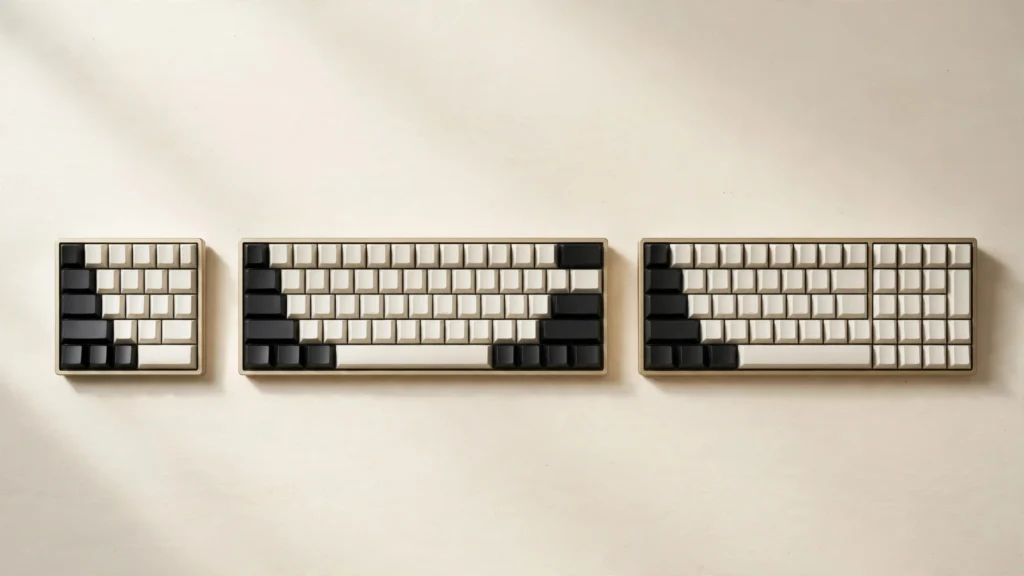
Shopping for a mechanical keyboard starts with a confusing wall of labels: 60%, 65%, 75%, TKL, full-size. They look like precise measurements, but they are not. They are rough shorthand for how many keys a layout keeps compared with a standard full-size board — and, more usefully, which groups of keys you give up. Short […]