

How to Choose a Robot Vacuum for a Small Apartment
Hero image: AI-generated editorial illustration; not an exact product depiction.
In a small apartment, the robot vacuum decision is not the same as in a house. The floor area is small, so a robot is more likely to finish on one charge — but floor area alone does not guarantee it: cleaning mode, layout and clutter, and whether the robot recharges and resumes, all matter. What matters instead is the space the machine takes up when it is not cleaning: the dock on your floor, the clear zone in front of it, and the height of the robot under your sofa. Ask where it will live, how loud it is in the one room you have, and whether it fits under your furniture — before you compare anything else.
| What changes | In a house | In a small apartment |
|---|---|---|
| The dock | A corner of a utility room | Floor space in your living room, plus a clear zone |
| Noise | Heard from another room | Heard from the same room, through shared walls |
| Height | One low piece of furniture | Every sofa, bed and cabinet it must pass under |
This guide uses maker pages only: iRobot’s support pages and Roomba 105X page, Roborock’s Q7 L5+ page, ECOVACS’s DEEBOT N20 PLUS page, and Dreame’s L10s Ultra page. No prices are stated. No product was tested. Where a maker states nothing, this guide says so. The general checks — navigation, suction, battery and maintenance — are covered in our robot vacuum buying guide.
- The dock is the first measurement
- Height: the under-furniture check
- Noise in one shared room
- Mapping: one floor, one map
- The bin and the dock
- Thresholds and tight gaps
- Robot vs stick
- How to decide
- FAQ
- Sources
The dock is the first measurement
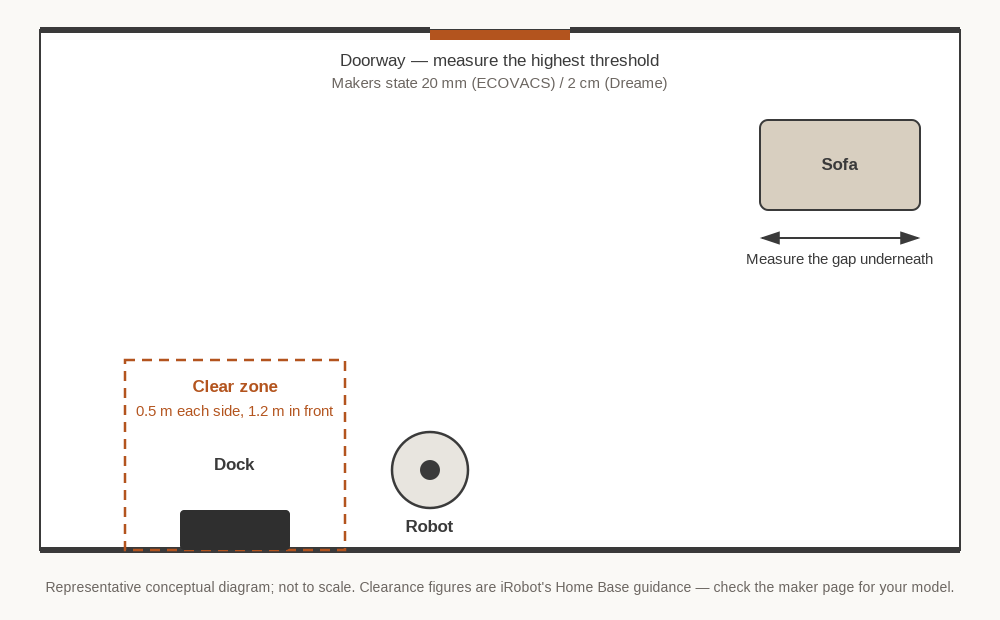
Every robot vacuum needs a home base, and the footprint on the spec sheet is only half the space it takes. iRobot’s support page on Home Base placement states the full requirement: at least 1.5 feet (0.5 metres) clear on each side, at least 4 feet (1.2 metres) in front with no furniture such as tables or chairs in that area, and at least 4 feet (1.2 metres) from any stairs — level, flat against a wall, with good Wi-Fi. In a studio, that 1.2-metre clear run is the real cost: floor you cannot put furniture on, larger than the dock itself.
The docks differ more than the robots do. Dreame’s L10s Ultra base station measures 423 × 340 × 568 mm — a tower, because it washes and dries the mops and holds a 2.5-litre clean water tank. Roborock’s RockDock Plus for the Q7 L5+ measures 8.35 × 7.01 × 10.20 inches — auto-empty only, no mop washing, much smaller in every direction. iRobot’s AutoEmpty dock dimensions are not stated on the 105X page checked, so this guide gives no figure for it. Check the dock’s stated dimensions and clearance guidance first.
Find the wall spot first. If no spot meets the clearance, the dock will live somewhere it cannot work reliably — and no feature on the robot fixes a dock that cannot dock. Do not put it behind a door: the robot can navigate there, but every opening can knock it off the dock. The dock is semi-permanent: what works here may not exist in the next apartment.
Height: the under-furniture check
In a small apartment, the dust lives under the furniture, and that is where a tall robot cannot go. Two maker pages state a robot height: Dreame lists the L10s Ultra at 350 × 350 × 97 mm, and Roborock lists the Q7 L5+ at 12.80 × 12.80 × 3.90 inches — nearly the same height, about 3.8 to 3.9 inches. iRobot states no height for the 105X on the page checked, but its support page states the LiDAR sensor “adds an extra half inch of height when compared to previous models. This may affect the robot’s ability to fit under furniture.” A mapped robot is taller than a random-navigation robot: the mapping feature costs height.
The check is a tape measure, not a spec comparison. Measure the gap under the lowest furniture the robot must pass under, and compare it with the stated height of the exact model. If the gap is smaller than the robot, it will clean around that furniture and never under it. Ignore “slim” labels: only the stated height is a measurement.
Noise in one shared room
Noise matters more in a small apartment than in a house for a simple reason: there is no other room. In a house, a loud robot cleans the kitchen while you sit in the living room. In a studio, it cleans the room you are sitting in, and the neighbours through the shared wall hear it too. The honest starting point is that almost nothing is published about this. Dreame is the only maker checked that states a noise figure: the L10s Ultra lists a lowest noise of 59 dB(A). iRobot, Roborock and ECOVACS state no noise figure on the pages checked. Roundups quote 55 to 65 dB for robots and 70 to 80 dB for the self-emptying burst, but with no maker source behind them, so this guide publishes none of them.
What the maker pages do support is a different kind of noise control: run the robot more quietly, or run it when you are out. Dreame states its runtimes in Quiet Mode — 210 minutes vacuuming only, 160 minutes vacuuming and mopping. iRobot states adjustable suction levels on the 105X, and ECOVACS states suction power adjustment in the app for the N20 PLUS. Lower suction means less noise on hard floors — this guide’s reasoning. The self-emptying burst deserves its own warning: the dock empties the bin with a separate suction motor, so the burst is louder than the robot itself, and no maker page checked states its decibel figure. Check whether the model lets you delay the emptying cycle — none of the four pages checked states a quiet-hours setting for it.
Mapping: one floor, one map
A small apartment has one floor, so one map is enough. iRobot’s 105X creates “up to 3 maps, even on different levels”, Roborock’s Q7 L5+ “remembers up to 3 maps for multiple floors” — spare capacity in a one-level apartment, not a reason to buy. What matters is whether the model saves a map at all. iRobot’s support page draws the line: its iAdapt 2.0 camera models produce a map report after cleaning but do not remember it for future jobs, while iAdapt 3.0 and ClearView LiDAR do. A saved map lets you send the robot to one room, set keep-out zones, and schedule by room — and in a small apartment, keep-out zones earn their keep: cables, pet bowls and shoes are always within a metre of the robot.
Mapping speed is not a comparison: iRobot states 10 minutes for the 105X, ECOVACS 8 minutes for the N20 PLUS, and neither page states the home size behind the figure. The navigation types themselves — random, camera and LiDAR — are compared in full in the buying guide linked above. What changes when the home is one floor: a random-navigation robot has no saved map and no recharge-and-resume, so in a single open room it can still work, bouncing until it has covered the floor — but you get no room selection and no keep-out zones. In a bare studio that may be enough; in a one-bedroom with cables under the desk and a pet bowl in the kitchen, a saved map and a keep-out zone are the difference between a robot that runs on its own and one you have to rescue.
The bin and the dock: how often you touch it
The onboard dustbin is small on every robot, and in a small apartment that matters less than the marketing suggests. Dreame states a 350 ml dust box, ECOVACS a 400 ml dustbin; Roborock states no dustbin capacity on the Q7 L5+ page checked. A small floor produces less debris per run, so the bin fills more slowly — and the auto-empty dock earns less in a small home than in a large one. The dock costs the same floor space whatever the size of your home.
The makers state the dock’s interval in days, and those figures cannot be compared across brands. iRobot states its AutoEmpty docks “can hold up to 75 days’ worth of debris”. Roborock states the RockDock Plus bag “lets you clean for up to 7 weeks without emptying”, “based on internal testing carried out by the manufacturer”. Dreame states up to 60 days, “based on a calculation derived from environment testing in Dreame’s lab”. ECOVACS states a bagless, consumable-free container and no days figure at all. Different bags, different tests, one bagless — not a ranking. The real choice is bagged versus bagless: a bagged dock means buying bags, a bagless dock means emptying and washing a container yourself. With no pets and hard floors, ask whether you need the dock at all — a charging-only model costs less floor and less money.
Thresholds and tight gaps
Small apartments are full of small steps: kitchen strips, bathroom thresholds, rug edges. Two maker pages state a threshold figure: ECOVACS states the N20 PLUS scales “20mm thresholds” on high-traction drive wheels, and Dreame states a “Threshold Crossing 2cm” for the L10s Ultra. Measure the highest threshold and compare it with the stated figure — a robot that cannot climb a step will clean one room and stop at the next. Neither Roborock nor iRobot states a threshold figure on the pages checked.
The same tape-measure logic applies to the gaps between furniture. No maker page checked states a minimum gap between chair legs, so this guide claims no number for it. Measure the narrowest gap the robot must pass through — between dining chair legs, between the table and the wall — and compare it with the robot’s stated diameter: 350 mm for the Dreame L10s Ultra, 12.80 inches for the Roborock Q7 L5+. Roborock notes that the Q7 “maneuvers better in narrow spaces” than the larger-bodied Q10 series — a comparison between two models in one maker’s line, not a general rule. If the gap is smaller than the robot, it will clean around the chairs and never between them.
Robot vs stick: the storage question
In a small apartment, the robot-versus-stick question is a storage question before it is a cleaning question. A robot needs a dock on the floor, with a clear zone in front of it. A cordless stick needs a wall mount or a corner. The robot cleans on its own, every day, while you are out; the stick cleans only when you pick it up, but it reaches everything the robot cannot: stairs, upholstery, edges, shelves. No maker page checked describes a robot vacuum climbing stairs — iRobot’s guidance keeps the dock 4 feet from stairs so the robot does not fall down them — so stairs stay a manual job.
| Robot vacuum | Cordless stick | |
|---|---|---|
| Effort | Scheduled once, then none | Yours, every session |
| Storage | Dock on the floor + 1.2 m clear in front | Wall mount or corner |
| Reach | Open floor only | Stairs, upholstery, edges |
| Best for | Daily maintenance on clear floors | Spot cleaning, weekly deeper clean |
The honest answer for most small apartments is one machine first. If the floors are mostly clear and the crumbs return daily, the robot is the better first machine — it does the job you would otherwise skip. If the floors are cluttered, the rooms are tight, or the stairs and the sofa matter as much as the floor, the stick is the better first machine — it reaches everything and stores on a wall instead of taking floor. If you can have both, that is the combination the sources support: the robot for the daily layer, the stick for the rest. For the jobs no floor robot does at all — stairs, car interiors, tight spots — a handheld is the tool, and our portable car vacuum guide covers that comparison. If your floors also need mopping, that is a separate decision: our robot vacuum vs robot mop guide compares the three options by floor type.
How to decide
Five checks, in order.
1. Find the dock spot. A level surface against a wall, near an outlet: 1.2 metres clear in front, half a metre each side, 1.2 metres from stairs. If no spot meets that, fix the spot first or choose a smaller dock.
2. Measure the furniture. The gap under the lowest sofa, bed or cabinet, against the robot’s stated height — 97 mm for the Dreame L10s Ultra, 3.90 inches for the Roborock Q7 L5+ — remembering LiDAR adds half an inch on iRobot. If the robot cannot fit under the furniture, it will never clean under it.
3. Check the noise you can control. Only Dreame states a noise figure (59 dB(A) lowest), so do not buy on a decibel number. Buy on the controls: adjustable suction, a stated Quiet Mode, a schedule that runs while you are out. No maker page checked states a quiet-hours setting for the self-emptying burst.
4. Count the maps you need. One floor means one map. A saved map with keep-out zones is worth having; multi-floor maps are spare capacity. A random-navigation robot can work in a single open room, but gives you no room selection or keep-out zones.
5. Decide how often you want to touch the machine. A small floor fills the bin slowly, so the auto-empty dock earns less than it would in a house — and still costs the same floor space. Bagged versus bagless is the real choice; a charging-only model is the honest alternative.
Short version: dock spot first, furniture height second, noise controls third, one map fourth, the dock’s value last. If you have not chosen the vacuum itself yet, start with our robot vacuum buying guide — navigation first, then the small-apartment checks here.
FAQ
Is a robot vacuum worth it in a small apartment?
Yes, if the floors are mostly clear and the crumbs return daily — the robot does the job you would otherwise skip. No, if the dock has nowhere to go, the floors are cluttered, or the stairs and the sofa matter as much as the floor — then a wall-stored stick is the better first machine.
How much space does the dock need?
More than its footprint. iRobot states at least 0.5 metres clear on each side of the Home Base and at least 1.2 metres in front, plus 1.2 metres from any stairs. Dreame’s base station is 423 × 340 × 568 mm; Roborock’s RockDock Plus is 8.35 × 7.01 × 10.20 inches.
Will it fit under my sofa?
Measure the gap against the stated height of the exact model. Dreame lists the L10s Ultra at 97 mm tall; Roborock lists the Q7 L5+ at 3.90 inches; iRobot states its LiDAR sensor adds half an inch of height. iRobot states no height for the 105X on the page checked, so do not assume a number for it.
How loud is a robot vacuum in a studio?
Only one maker page checked states a noise figure: Dreame lists a lowest noise of 59 dB(A) for the L10s Ultra. iRobot, Roborock and ECOVACS state no noise figure on the pages checked. Buy on the controls you can verify — adjustable suction, a stated Quiet Mode, a schedule that runs while you are out — not on a decibel number.
Do I need a self-emptying dock in a small apartment?
Often not. A small floor produces less debris per run, so the onboard bin — 350 ml on the Dreame L10s Ultra, 400 ml on the ECOVACS N20 PLUS — fills more slowly, while the dock costs the same floor space whatever the size of your home. The days figures are not comparable across brands (iRobot 75 days, Roborock 7 weeks, Dreame 60 days, ECOVACS bagless), so choose bagged versus bagless — or a charging-only model.
Sources
- iRobot Support — Tips on where to place the Home Base (0.5 m each side, 1.2 m in front, 1.2 m from stairs)
- iRobot Support — How does my robot navigate? (navigation tiers; LiDAR adds half an inch; iAdapt 2.0 map not remembered)
- iRobot — Roomba 105X Combo Robot + AutoEmpty Dock (up to 3 maps; mapping 10 minutes; up to 75 days; adjustable suction)
- Roborock — Q7 L5+ Robot Vacuum and Mop with Auto-Empty Dock (robot 12.80 × 12.80 × 3.90 in; dock 8.35 × 7.01 × 10.20 in; up to 7 weeks; up to 3 maps)
- ECOVACS — DEEBOT N20 PLUS (400 ml dustbin; 8-minute mapping; 20 mm thresholds; bagless container)
- Dreame — DreameBot L10s Ultra (robot 350 × 350 × 97 mm; base station 423 × 340 × 568 mm; 350 mL dust box; lowest noise 59 dB(A); 2 cm thresholds; 210 / 160 min Quiet)
Related Posts
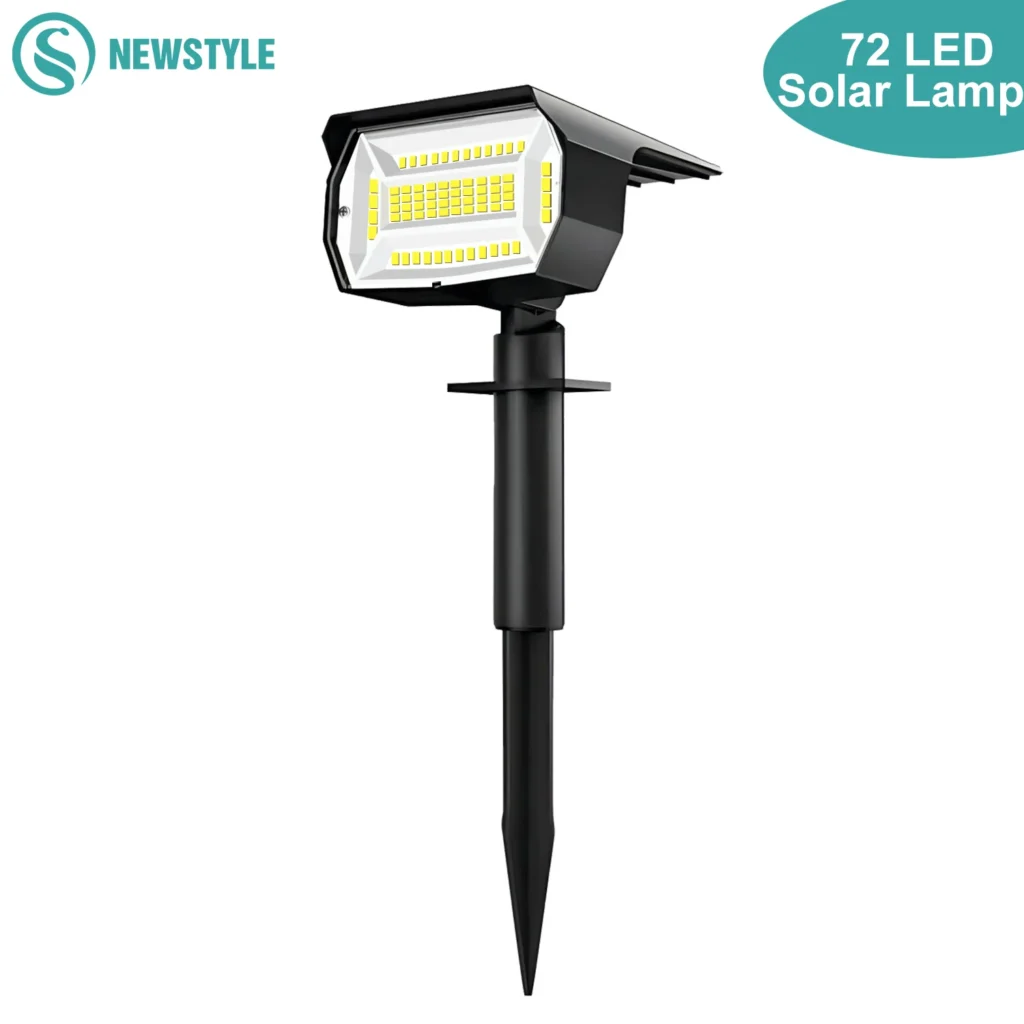
This guide covers one AliExpress listing: a 72-LED solar landscape spotlight, warm white, in the 1-piece variant. It is a buyer-check guide, not a hands-on review — LanPicks has not tested, owned, or measured this light. The direct answer is short: the listing states a solar-powered spotlight with 72 LED beads, a 1500mAh battery, 3.7 […]

This guide covers one AliExpress listing: a SHAHE stainless steel digital caliper, in the 0-150 mm (about 0-5.91 in) range variant. It is a buyer-check guide, not a hands-on review — LanPicks has not tested, owned, or measured with this caliper. The direct answer is short: the listing states a 0-150 mm stainless caliper with […]
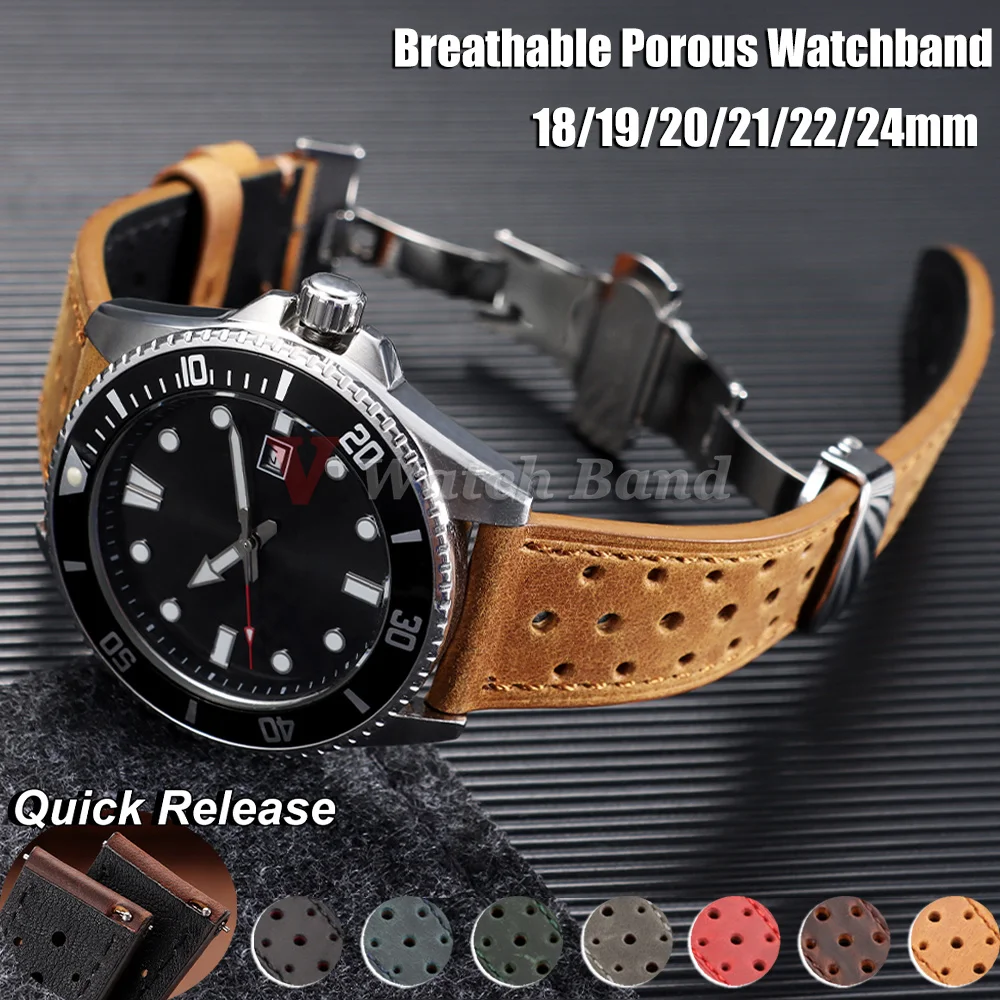
This guide covers one AliExpress listing: a vintage racing leather watch strap, in the light brown, 18 mm (about 0.71 in) width variant. It is a buyer-check guide, not a hands-on review — LanPicks has not tested, owned, or measured this strap. The direct answer is short: the strap is a perforated leather racing-style band […]
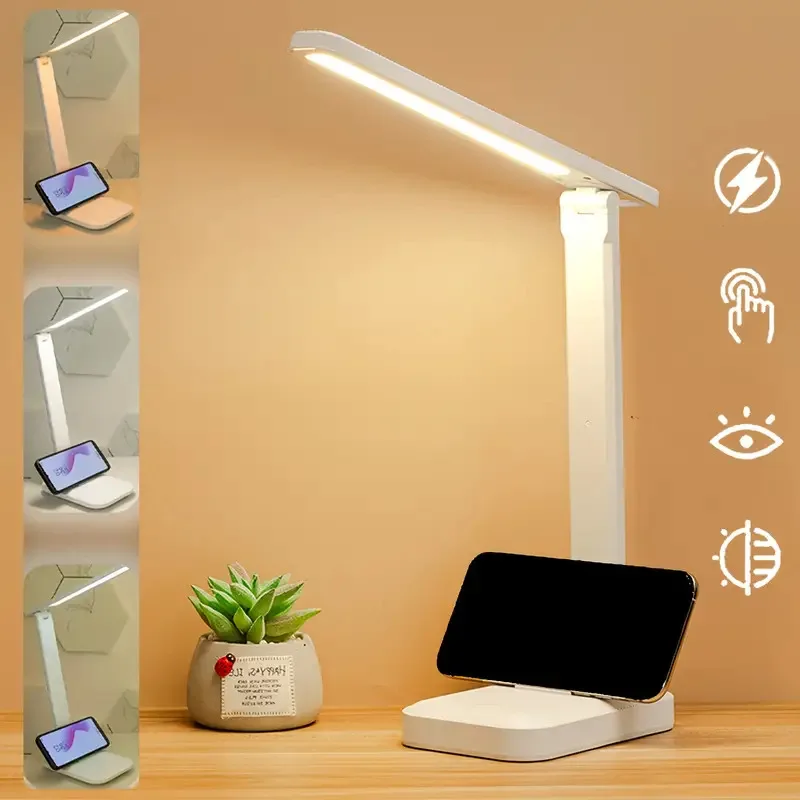
This foldable LED desk lamp is a small, USB-charged task light: it folds flat for travel, stands on a desk for reading or bedside use, and its base holds a phone or tablet. The listing states touch control, stepless dimming, three light modes (cold, warm and mixed), a rechargeable battery, and a nominal voltage of […]
This retro-style CCD camera is a compact point-and-shoot that leans on its look: a pocketable body, a flip-style dual-camera setup, a flash, and SD-card storage. The listing states 4K video at 4096×2160, a 1/1.6-inch CCD sensor, and 2x to 7x optical zoom. It is a reasonable fit if you want a cheap, fun second camera […]