

Desk Mat Size Guide: How to Measure Before You Buy
Shopping for a desk mat starts with a confusing set of labels: S, M, L, XL, XXL. They look like clothing sizes, but they are not standardized — one brand’s Large can be another brand’s Medium. The only measurement that matters is your own desk.
Short answer: measure the usable width and depth of your desk first, then add up the space your keyboard and mouse actually use. A mat around 36 × 18 inches (91 × 46 cm) fits a full-size keyboard and mouse on a 48 × 24 inch (122 × 61 cm) desk, with about 6 inches (15 cm) to spare on each side. But that is one example, not a rule — your mouse sweep and your desk’s obstructions decide the size you need.
How this guide was put together: LanPicks did not test desk mats hands-on for this article. Dimensions and measuring methods are based on published size guides from Autonomous, Desk2K, SkyTroni Pads and Difavo, cross-checked on 12 November 2026. Sizes in the tables are representative examples compiled from those sources, not a universal standard — labels such as M, L and XL vary by brand, so compare exact dimensions. The hero image is an AI-generated editorial illustration, not a photo of a real product. Our editorial policy explains how we research and write guides.
In this guide
How to Measure Your Desk
Measure the space a mat can actually occupy, not the desk’s full outside dimensions. A tape measure and five minutes are enough — and they tell you more than any size label.
Step 1: Measure the usable width. Clear the desk surface, then measure left to right across the flat, supported area where a mat can sit. Flat desktop beyond the leg positions still counts, as long as it is level and supported — only leave out curved or beveled edges, unsupported sections, and areas blocked by a real obstruction. This number is the widest mat you can fit.
Step 2: Measure the usable depth. Measure from the front edge — where your wrists rest — back to the first obstruction: a monitor base, a desk shelf, a riser, or the wall. That is the deepest mat you can fit. On many desks the depth, not the width, is what limits the choice.
Step 3: Note the obstructions. Monitor bases, cable grommets, desk shelves, bevels, clamps and drawer handles all eat into the usable area. A desk that measures 48 × 24 inches (122 × 61 cm) on the outside may only offer 48 × 18 inches (122 × 46 cm) of flat, usable surface once a monitor stand sits on it.
Then mark the outline: lay removable tape on the desk in the shape of the mat size you are considering, put your keyboard and mouse back in their normal positions, and use the desk normally. Check that drawers open, cables stay reachable and controls are not covered. If anything fights the tape outline, the mat is too big for that spot.
How Much Room Do Your Keyboard and Mouse Need?
The mat has to cover your keyboard and your mouse’s full range of movement, with a little room to spare. Work out those two numbers before looking at sizes.
Keyboard width depends on its layout. Example widths (actual models vary — check the model you own): full-size about 17.5 inches (44.5 cm), TKL about 14.0 inches (35.5 cm), 75% about 12.6 inches (32 cm), 65% about 11.5 inches (29 cm), 60% about 11.0 inches (28 cm). Our mechanical keyboard sizes guide explains which keys each layout keeps — the width follows from the layout you already own or plan to buy. If your choice is between a 75% and a TKL, see our 75% vs TKL keyboards guide.
Mouse movement is yours to measure. Put the mouse where you use it and move it through its normal range — work, browsing, gaming — then measure the width it covers. Measure from the outer edge of the mouse body at its far-left position to the outer edge at its far-right position, and do the same front to back: the mouse’s own footprint counts at both extremes, not just the distance its center or sensor travels. Wide arm movements need more room; small wrist movements need less. There is no standard number here: low-sensitivity setups sweep wider, high-sensitivity setups sweep narrower, and only your own sweep tells you what you need.
If the mouse cable keeps dragging across the mat, our wired vs wireless gaming mouse guide compares a cable, a 2.4 GHz receiver and Bluetooth so you can decide whether the cable or the connection is the problem.
A useful formula, from Autonomous: mat width = keyboard width + mouse movement width + gap + side margins. Mouse movement width means the full span from the mouse body’s outer edge at one extreme to its outer edge at the other — not just how far the sensor travels.
Worked example (illustrative, not a rule). Take a full-size keyboard at 17.5 inches (44.5 cm) — an example width; actual models vary — plus about 10 inches (25 cm) of mouse movement including the mouse body’s footprint at both extremes, about a 1 inch (2.5 cm) gap between keyboard and mouse zone, and 2 inches (5 cm) of margin on each side. That adds up to about 32.5 inches (83 cm). The nearest common size that covers it is 36 × 18 inches (91 × 46 cm). Note the two different margins in this example: the 2 inches on each side in the sum are spare space on the mat itself, while the desk space left uncovered beside a 36 inch mat on a 48 inch desk — about 6 inches (15 cm) on each side — is separate, and it is what keeps the mat clear of the desk edges. Your numbers will differ — the point is the method, not this exact total.

Depth works the same way. The mat should cover the keyboard plus wrist room in front of it, without running into the monitor base behind. On a 24 inch (61 cm) deep desk, an 18 inch (46 cm) deep mat leaves 6 inches (15 cm) behind it for the monitor base. Place the mat so your wrists rest on it while you type — flush with the front edge or set back slightly, whichever suits your desk edge and wrist position — as long as it does not overhang the edge or cover controls you need.
Common Desk Mat Sizes
These are example dimensions compiled from published size guides. Treat them as representative examples, not a standard: the same label can mean different dimensions at different brands, so always compare the exact numbers.
Swipe to compare all columns →
| Example dimensions (inches) | Example dimensions (cm) | Space to check before choosing |
|---|---|---|
| 18 × 9 | 46 × 23 | Mouse footprint + sweep only — check it fits inside your usable depth |
| 24 × 12 | 61 × 30 | Keyboard footprint + mouse sweep — check both fit your usable width and depth |
| 31.5 × 15.7 | 80 × 40 | Keyboard + mouse zone — check the total footprint against usable width, and depth against the monitor base |
| 36 × 18 | 91 × 46 | Full keyboard + mouse zone + margins — check usable width leaves room at the sides, and 18 in depth fits before the monitor base |
| 40 × 20 | 102 × 51 | Wider keyboard + mouse zone + notebook space — check usable width and the extra depth against obstructions behind |
| 48 × 24 | 122 × 61 | Near-full desk coverage — check usable width and depth meet or exceed the mat, and drawers and controls stay reachable |
| 60 × 30 | 152 × 76 | Full-desk coverage — check the whole usable area, and that the mat covers no controls, grommets or drawer fronts |
Example dimensions from Autonomous, “Desk Mat Sizes Chart and How to Choose the Right Fit.” Not a LanPicks standard — labels vary by brand and actual products vary.
The same sizes are often listed in millimetres. As examples from the sources: a 900 × 400 mm mat (35.4 × 15.7 in) is one widely used reference size, and the sources list examples from about 350 × 250 mm (13.8 × 9.8 in) for mouse-only pads to 1200 × 600 mm (47.2 × 23.6 in) for large mats — alongside larger full-desk examples such as 60 × 30 in (152 × 76 cm) in the table above. None of these is an official standard — they are example dimensions from published guides, not a market ranking.
Which Size Fits Your Setup?
Match your measured zone to the smallest common size that covers it. The thresholds in the table are illustrative examples only — choose by your total measured footprint (keyboard width + mouse sweep including the mouse body’s footprint + gap + margins) against your usable width and depth, not by how many monitors you have or by one width on its own. If your measured zone is bigger than the mat, go one size up. If the mat would overhang your usable area and your usable space itself is too small, going one size down is not the whole answer: rearrange the layout — move the monitor base, shift the keyboard, or use a separate mouse pad beside a smaller mat — so the zone you need actually fits.
Swipe to compare all columns →
| Your setup | Measure first | Start with |
|---|---|---|
| Laptop only, small desk | Usable width under 40 in (102 cm) | 24 × 12 in (61 × 30 cm) compact, or a mouse-only mat |
| TKL or 65% keyboard + mouse | Keyboard + mouse zone under about 28 in (71 cm) | 31.5 × 15.7 in (80 × 40 cm) |
| Full-size keyboard + mouse, office work | Keyboard + mouse zone about 28–33 in (71–84 cm) | 36 × 18 in (91 × 46 cm) |
| Low-sensitivity gaming, wide sweeps | Mouse sweep over about 12 in (30 cm) | 40 × 20 in (102 × 51 cm) or larger, if the desk allows |
| Dual monitors, want full coverage | Usable depth 24 in (61 cm) or more | 48 × 24 in (122 × 61 cm), only if it fits the usable area |
| Writing + keyboard + mouse | Need notebook space beside the keyboard | 36 × 18 in (91 × 46 cm) or 40 × 20 in (102 × 51 cm) |
Common Mistakes
Measuring the whole desk instead of the usable area. The headline dimensions on a desk listing include edges, overhangs and space a monitor base already occupies. Measure the flat area a mat can actually sit on.
Trusting the size label. M, L and XL are brand labels, not measurements. A Large at one maker can be a Medium at another. Compare the exact width and depth in inches or millimetres before buying.
Forgetting depth. Width gets all the attention, but depth is what usually limits the choice: a monitor base, a shelf or a riser can take 6 inches (15 cm) or more off the back of the desk. A mat deeper than the usable depth overhangs the front edge and curls.
Ignoring the mouse sweep. A mat that fits the keyboard but not the mouse is a mat the mouse keeps running off. Measure your actual mouse travel — especially if you use low sensitivity or wide arm movements.
Leaving no margin at the edges. A mat can sit flush with the front edge or a little back from it, depending on the desk edge, your wrists, and the fit — flush does not by itself mean it will catch on drawers, chair arms or cables. A small margin is a preference, not a safety rule: some guides suggest a mat about 2–4 inches (5–10 cm) narrower than the desk in total, others about 50–80 mm (about 2–3.1 in) narrower — these are two different ranges from different sources, not the same rule. Whatever you choose, the mat must not overhang the edge or cover controls you need.
Buying the biggest mat by default. A full-desk mat looks striking, but it locks your whole layout in place, is harder to move and clean, and costs more to ship. Unless you specifically want the full blotter look, buy for your keyboard-and-mouse zone and leave the rest of the desk free.
FAQ
Is 900 × 400 mm right for my setup? It depends on your measurements. On width alone, a 900 × 400 mm mat (35.4 × 15.7 in) covers the worked example in this guide — its 35.4 inch width exceeds the 32.5 inch width that example adds up to. Depth must be measured separately: the example’s 18 inch depth is illustrative and does not imply 15.7 inches is enough for you — measure from the front edge to the monitor base and compare. If your zone is wider, go larger; if your usable area is smaller, a smaller mat alone may not solve it — rearrange the layout or use a separate mouse pad beside a smaller mat, as in the section above.
How much smaller than my desk should the mat be? There is no required margin. Some guides suggest about 2–4 inches (5–10 cm) narrower in total, others about 50–80 mm (about 2–3.1 in) narrower — these are different ranges from different sources, not one rule. A small margin leaves a visible desk edge and keeps the mat clear of drawers or stands; a mat flush with the edge is also fine if it does not overhang or cover anything you need.
Do I need a bigger mat for low mouse sensitivity? Probably, if your sweeps are wide. Measure your actual mouse travel using the method above — that number, not a sensitivity setting, decides the width you need.
Can a desk mat hang over the edge of the desk? Not recommended. An overhanging mat curls at the edge, catches on your chair and drawers, and looks unfinished. Keep it inside the usable area.
What depth do I need? Measure from the front edge to the monitor base or shelf. Common depths run 12–18 inches (30–46 cm); on a 24 inch (61 cm) deep desk, an 18 inch (46 cm) mat leaves 6 inches (15 cm) behind it.
Does thickness change the size I need? Thickness does not change the width or depth you need, but it does affect what sits on the mat. A thicker mat raises everything on it, which can matter for monitor stands with clamps or feet: avoid a setup where one foot of a stand sits on the mat and another sits on the bare desk, since the height difference can tilt or wobble the stand. Check the stand’s own instructions for clearance before choosing a thick mat. About 3 mm (0.1 in) is described in one source as a low-profile option — treat that as an example, not a guarantee that it clears every stand.
Conclusion
Measure first, then match. A tape measure and five minutes tell you more than any size label: your usable width and depth, your keyboard width, and your mouse sweep. Pick the smallest common size that covers those numbers with a small margin, and check the exact dimensions — not the letter on the box — before you buy.
If you are planning the desk around the mat, read our clean gaming desk setup guide next — it covers measuring your space and placing the keyboard, mouse and monitor before you buy anything.
Sources
- Autonomous. “Desk Mat Sizes Chart and How to Choose the Right Fit.” https://www.autonomous.ai/ourblog/correct-desk-pad-sizes-for-office
- Desk2K. “Desk Mat Size Guide: Find the Right Fit for Your Setup.” https://blog.desk2k.com/desk-mat-size-guide-find-the-right-fit-for-your-setup/
- SkyTroni Pads. “Desk mat sizes and dimensions chart (mm + inches).” https://pads.skytroni.com/blog/desk-mat-size-guide/
- Difavo. “What Size Desk Mat Do You Need?” https://www.difavo.com/blogs/journal/desk-mat-size-guide
- WorkCocoon. “Best Desk Mat for Small Desk (2026).” https://www.workcocoon.com/guide/best-desk-mat-for-small-desk
- Dimensions cross-checked against the sources above on 12 November 2026. Figures are representative examples compiled from these sources, not a universal standard; individual products vary.
Related Posts
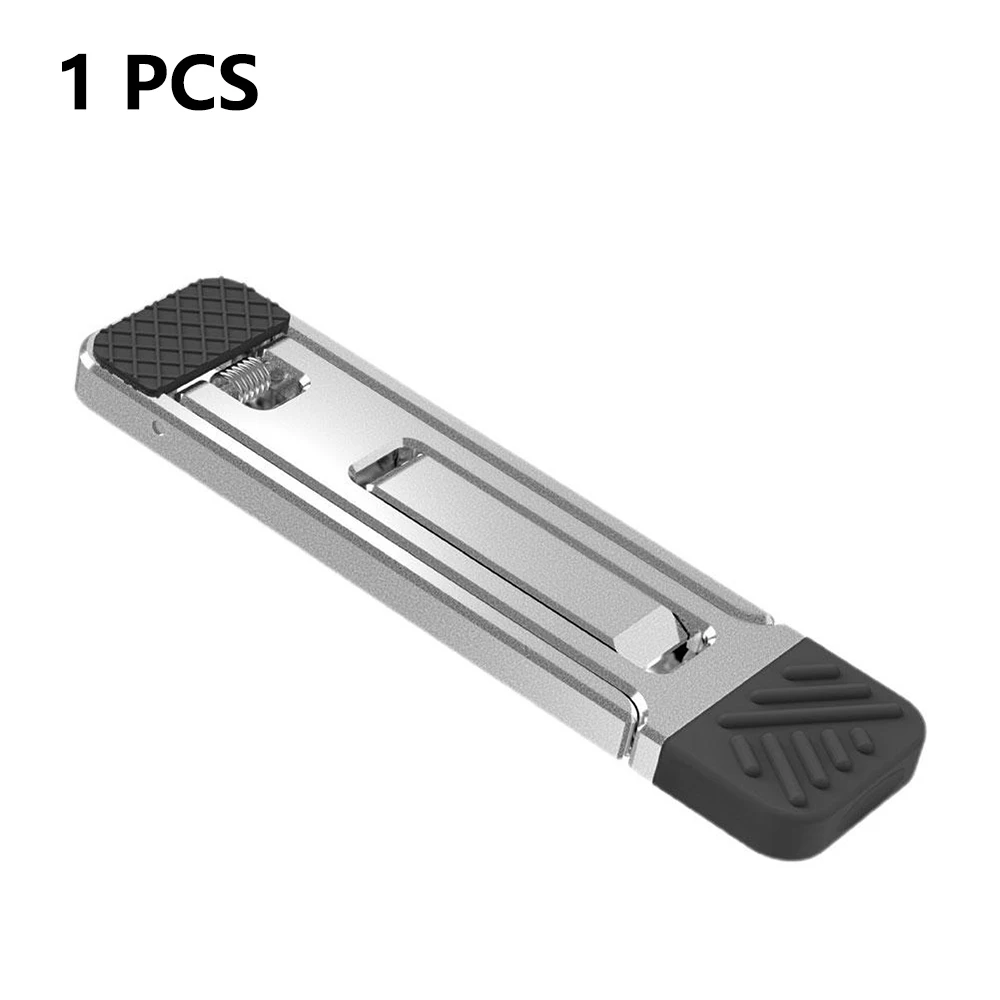
Actual listing image for the 1-piece silver variant (AliExpress item 1005005605228469). Quick answer: The XNYOCN mini folding support is listed as a compact, three-position accessory in a 1-piece silver variant. Confirm the required number of supports, mounting method and load capacity for your device before buying; those details are not established by the listing reviewed, […]

This guide is about one specific listing: a dual monitor arm for 13 to 27-inch screens, fully adjustable, for two monitors. LanPicks has not tested this monitor arm, and this guide reports no test results and no prices. What it does is separate what the listing actually states from what you still need to check […]

A monitor arm does one simple job: it holds your monitor where your eyes want it, and it gives you your desk back. But an arm only works when it matches three things — your monitor’s weight and VESA pattern, your desk’s edge, and how far you need the screen to move. Get any of […]
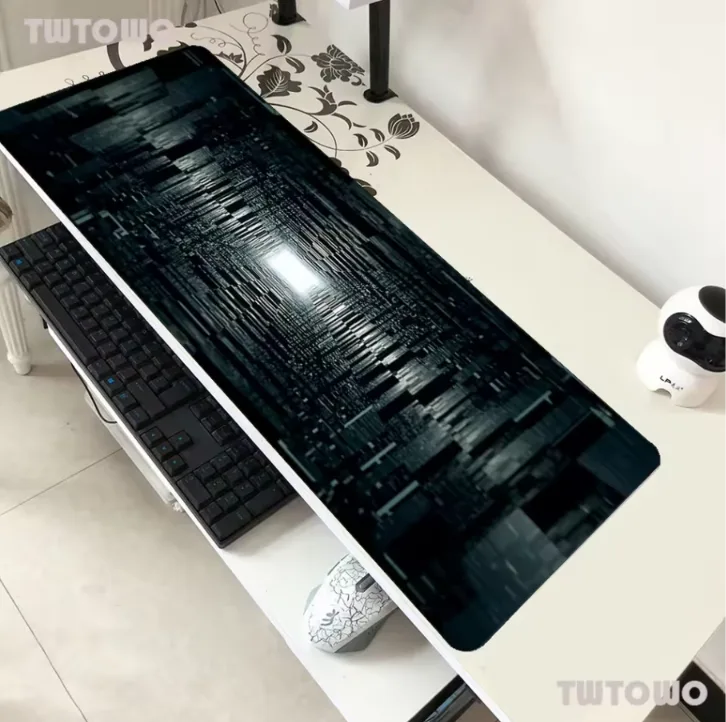
This guide covers one AliExpress listing: a black abstract gaming mousepad sold under the design name “Padmouse Indie Pop”, listed in the 900 × 400 × 2 mm size. It is a product-led buying guide, not a hands-on review — LanPicks has not tested, owned, or measured this mousepad — so this page sticks to […]
A 44 cm monitor light bar hangs on top of your monitor and lights the desk in front of the screen, without taking desk space the way a lamp does. This guide covers one listing for that kind of light — the Wiscolor 44 cm screen hanging light bar, sold on AliExpress — from the […]